
Download MacWhisper – Fast, Secure Audio‑to‑Text Transcription for macOS
Overview
MacWhisper is a native macOS transcription application that brings the power of OpenAI’s Whisper model directly to your desktop. Designed for professionals who value privacy, the software processes every audio file locally, meaning none of your recordings ever leave the machine. This offline‑first approach eliminates latency, reduces reliance on internet bandwidth, and guarantees that sensitive information—such as corporate meeting minutes, confidential interviews, or academic lectures—remains under your control.
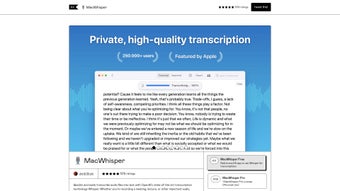
The user interface follows a clean, drag‑and‑drop paradigm: simply drop an MP3, WAV, M4A, or any supported container onto the main window and watch the transcript appear in real time. MacWhisper supports more than 100 languages, automatically detects the spoken language, and provides timestamped, speaker‑labeled output that can be edited, searched, or exported to a variety of formats, including plain text, SRT subtitles, and the proprietary .whisper package for future re‑opening without re‑processing. For power users, a paid Pro tier adds batch transcription, GPU‑accelerated WhisperKit processing, a distilled faster model, and built‑in ChatGPT assistance for instant summarisation.
Whether you are a journalist needing verbatim quotes, a teacher preparing searchable lecture notes, or a developer integrating transcripts into a workflow, MacWhisper offers a reliable, secure, and highly accurate solution that works entirely on macOS.
Key Features, Compatibility, and Pros & Cons
MacWhisper combines a robust feature set with tight system integration, delivering a seamless transcription experience that feels native to macOS. Below you’ll find a detailed breakdown of what the app can do, the operating systems it supports, and an honest look at its strengths and limitations.
- OpenAI Whisper Engine: Utilises the state‑of‑the‑art Whisper deep‑learning model for industry‑leading accuracy across diverse accents and background noises.
- Offline Processing: All transcription runs locally; no data is sent to external servers unless you opt‑in to the optional ChatGPT summarisation feature.
- Drag‑and‑Drop Simplicity: Drop any supported audio file onto the main window and the app begins processing automatically.
- Multi‑Format Support: Accepts MP3, WAV, M4A, AAC, FLAC, MP4, MOV, and many other common containers, eliminating the need for pre‑conversion.
- 100+ Languages: Full language detection and transcription for over a hundred languages and dialects, making it suitable for global teams.
- Editable Transcript View: Click any line to edit text, merge or split segments, add speaker tags, or insert notes.
- .whisper Export: Saves a project‑specific package that preserves timestamps, speaker metadata, and the original audio reference for later re‑opening.
- Pro Tier Enhancements: Batch processing, WhisperKit GPU acceleration (Apple Silicon only), distilled fast model, built‑in ChatGPT summarisation, and system‑audio capture for Zoom/Teams recordings.
- Regular Updates: The underlying Whisper model is refreshed regularly, ensuring continued improvements in accuracy and language coverage.
MacWhisper requires macOS 10.15 (Catalina) or later and runs natively on both Apple Silicon (M1, M2, and newer) and Intel‑based Macs. Apple Silicon devices benefit from GPU‑accelerated WhisperKit processing, which can halve transcription times compared with CPU‑only execution on Intel machines.
Pros
- Fully offline operation safeguards privacy.
- High transcription accuracy thanks to Whisper’s deep‑learning architecture.
- Supports a broad array of audio/video formats and over 100 languages.
- Intuitive drag‑and‑drop UI reduces learning curve for new users.
- Pro features (batch, GPU acceleration, ChatGPT) dramatically boost productivity for heavy users.
- Export options include plain text, SRT, VTT, and proprietary .whisper files.
- Frequent model updates keep accuracy on the cutting edge.
Cons
- Only available for macOS; Windows and Linux users must look elsewhere.
- Batch transcription and GPU acceleration are locked behind the paid Pro tier.
- Initial download size (~350 MB) may be large for slower internet connections.
- Distilled model, while faster, can miss subtle nuances in noisy recordings.
- Intel‑based Macs rely on CPU processing, which is slower than Apple Silicon GPUs.
Installation, Usage Guide, and Frequently Asked Questions
Step‑by‑Step Installation
- Navigate to the official MacWhisper website and click the Download for macOS button.
- The
.dmgfile mounts automatically; drag the MacWhisper icon into your/Applicationsfolder. - Open the app. macOS may display a security warning; choose “Open” to confirm you trust the developer.
- On first launch, grant microphone and file‑access permissions when prompted.
- If you purchased a Pro license, open Preferences → “Activate Pro” and paste your license key.
Getting Started with a Transcription
After installation, launch MacWhisper. You’ll see a large drop zone labelled “Drag audio files here.” Drop an MP3, WAV, or any supported file onto the zone. The application immediately begins processing; a progress bar indicates the estimated remaining time based on file length and the selected model (full Whisper vs. distilled).
When the engine finishes, the transcript appears in a split‑view editor alongside a waveform. You can click any line to edit text, assign speaker names, or add comments. Export options are available via File → Export → Plain Text, SRT, VTT, or .whisper.
The .whisper package stores all metadata, allowing you to reopen the project later without re‑transcribing.
Pro‑Level Enhancements
Pro users gain access to a toolbar with additional buttons: “Batch Transcribe” lets you queue multiple files; “WhisperKit” enables GPU‑accelerated processing on Apple Silicon; “System Audio” captures audio from any running app, perfect for virtual‑meeting recordings; and the ChatGPT icon generates a concise summary or extracts key points from the finished transcript. These features are designed to streamline large‑scale workflows such as converting an entire semester’s lecture series or processing interview batches for research projects.
Frequently Asked Questions
Is MacWhisper really offline, or does it send data to the cloud?
MacWhisper processes every audio file locally on your Mac. No audio data is uploaded to external servers unless you explicitly use the optional ChatGPT summarisation feature, which only sends the generated text, not the original recording.
Can I transcribe video files directly?
Yes. MacWhisper accepts video containers such as MP4 and MOV. The app extracts the audio track automatically and transcribes it. Ensure the video’s audio codec is supported (AAC, MP3, etc.) for best results.
How does batch transcription work in the Pro tier?
After activating Pro, a “Batch Transcribe” button appears. Drag multiple files into the batch window, select the desired model (full Whisper or distilled), and click “Start.” Each file is queued, processed sequentially, and saved as an individual .whisper package.
Will MacWhisper run on older Macs, such as a 2015 MacBook Pro with macOS Catalina?
The minimum requirement is macOS 10.15, so a 2015 MacBook Pro can run MacWhisper. Performance will be slower on Intel CPUs, especially for long files. Using the distilled model can help mitigate the speed difference.
Can I export transcripts as subtitles for video editing?
Absolutely. MacWhisper offers export options for SRT, VTT, and plain‑text formats. These subtitle files include timestamps, making them ready for import into video editors like Final Cut Pro, Adobe Premiere, or DaVinci Resolve.
Conclusion & Call to Action
MacWhisper stands out as a privacy‑first, high‑accuracy transcription solution tailored for macOS users. Its offline architecture guarantees that confidential recordings stay on your device, while the Whisper engine delivers industry‑leading accuracy across more than a hundred languages. The free tier already provides a polished, drag‑and‑drop workflow that can turn a single interview or lecture into searchable text within minutes. For professionals handling large volumes of audio, the Pro upgrade adds batch processing, GPU‑accelerated WhisperKit, a faster distilled model, and AI‑powered summarisation—all without compromising the core user experience.
If you regularly record meetings, podcasts, webinars, or classroom sessions, MacWhisper can save you countless hours of manual transcription and help you stay organized. Its seamless export options mean you can instantly generate subtitles, captions, or plain‑text notes for any downstream workflow. The combination of security, speed, and multilingual support makes it a compelling choice for journalists, educators, researchers, and developers alike.
Ready to transform your audio into editable text? Download MacWhisper now from the official website, install it in under five minutes, and start experiencing the productivity boost of instant, offline transcription. Upgrade to Pro whenever your workload grows, and enjoy priority support plus the latest AI enhancements.



.png)



